Skip to Content

¡Bienvenido!

Comparta y comente sobre el mejor contenido y las mejores ideas de marketing. Construya su perfil profesional y conviértase en un mejor mercadólogo.

Inscribirse

This question has been flagged
25 Views

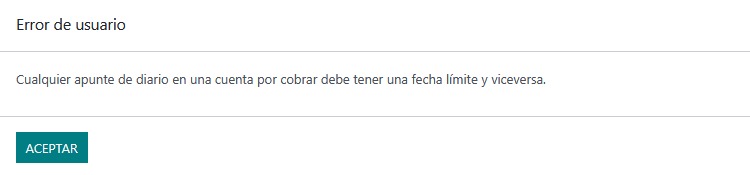
Para solucionar este mensaje debe dirigirse a:
  1. Dirigirse al módulo de Contactos.

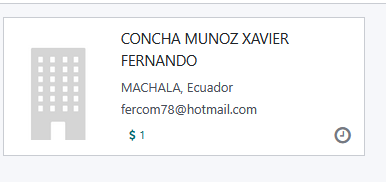
    2. Buscar al cliente que se necesita modificar
    3. En la pestaña Contabilidad busca el campo "Cuenta a cobrar"
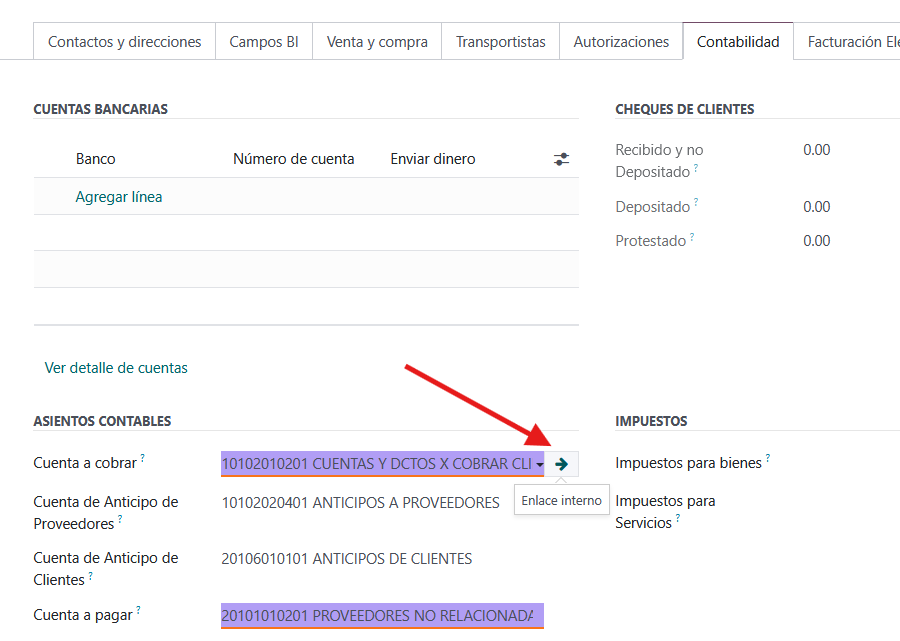
    4. En el campo "Tipo" establecer el valor "Por cobrar" y verificar que esté activo el check "Permitir conciliación"
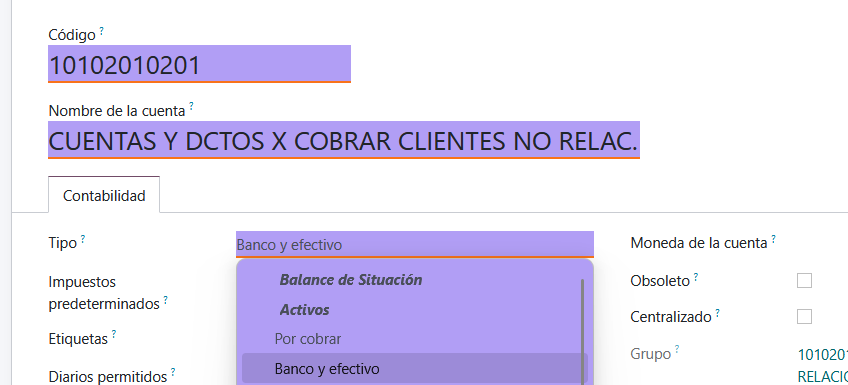
    5. Debería quedar de la siguiente manera:
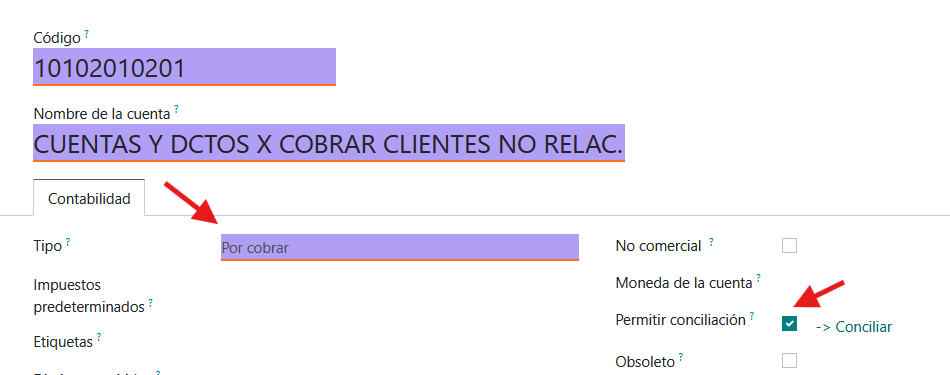
6. NO OLVIDARSE GUARDAR LOS CAMBIOS

Avatar
Discard

Your Answer

Please try to give a substantial answer. If you wanted to comment on the question or answer, just use the commenting tool. Please remember that you can always revise your answers - no need to answer the same question twice. Also, please don't forget to vote - it really helps to select the best questions and answers!

Related Posts Replies Views Activity
0
Jul 25
14
0
Jul 25
23
0
Jul 25
26
0
Jun 25
37